Your child’s sleep diary
If you want high quality, tailored support, tracking sleep is vital.
We've tried to make this as easy as possible by providing 3 options for how you track sleep. Please choose one and ensure all sleep, and all wakes, are tracked carefully. Two days before your appointment we will ask you to send us 7 days of sleep diary data.
Please note, we do not accept lists or other descriptive data. We only accept the following sleep diary formats. If you are unsure your diary meets our requirements, please email us to check: hello@sombelle.com.au
Hot Tip!
Track overnight wakes more easily by taking a screenshot of the time on your phone during each wake. The next day you can review the screen shots and back-fill the sleep/wake data from the night prior.
Option 1: Use an app
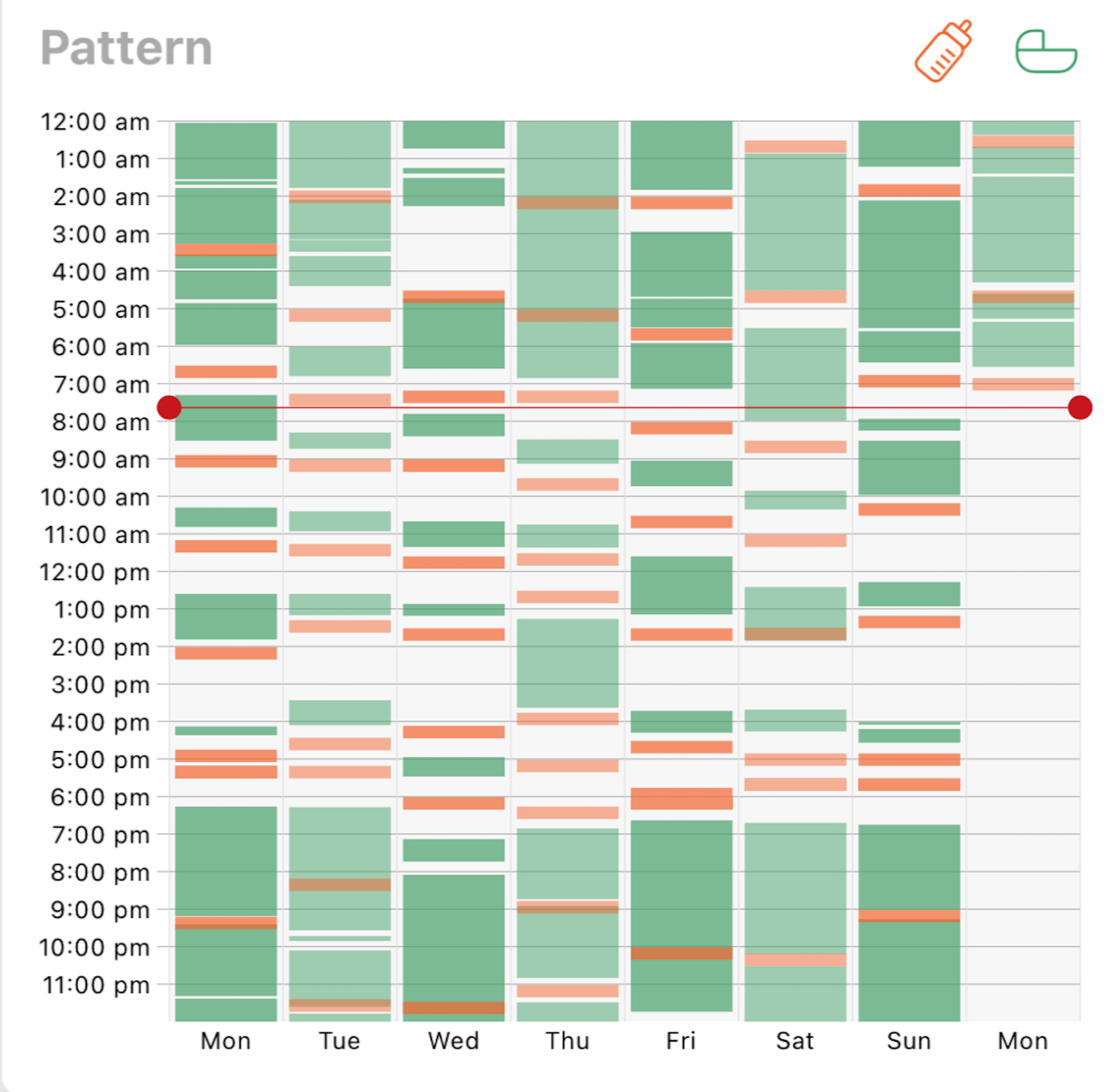
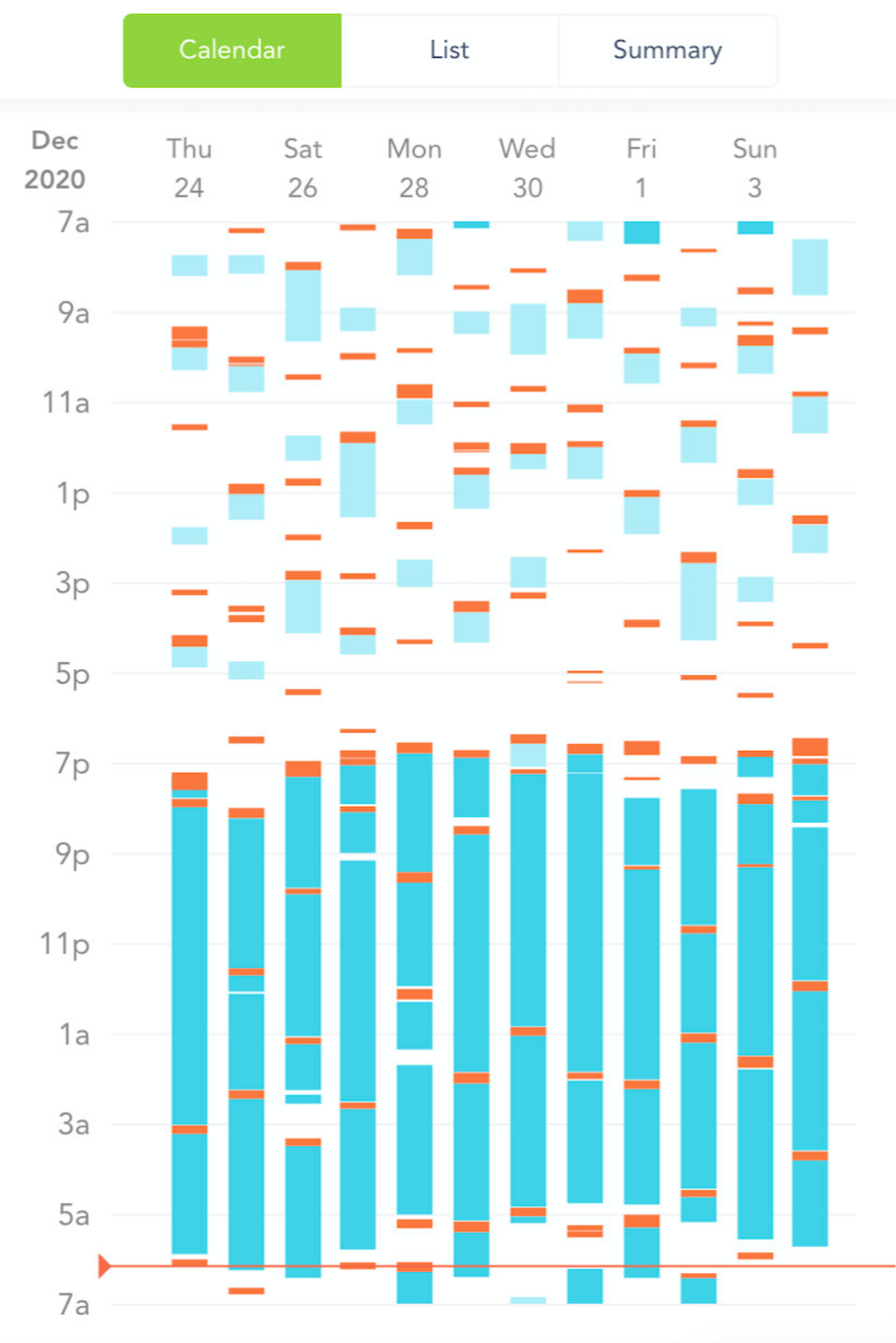
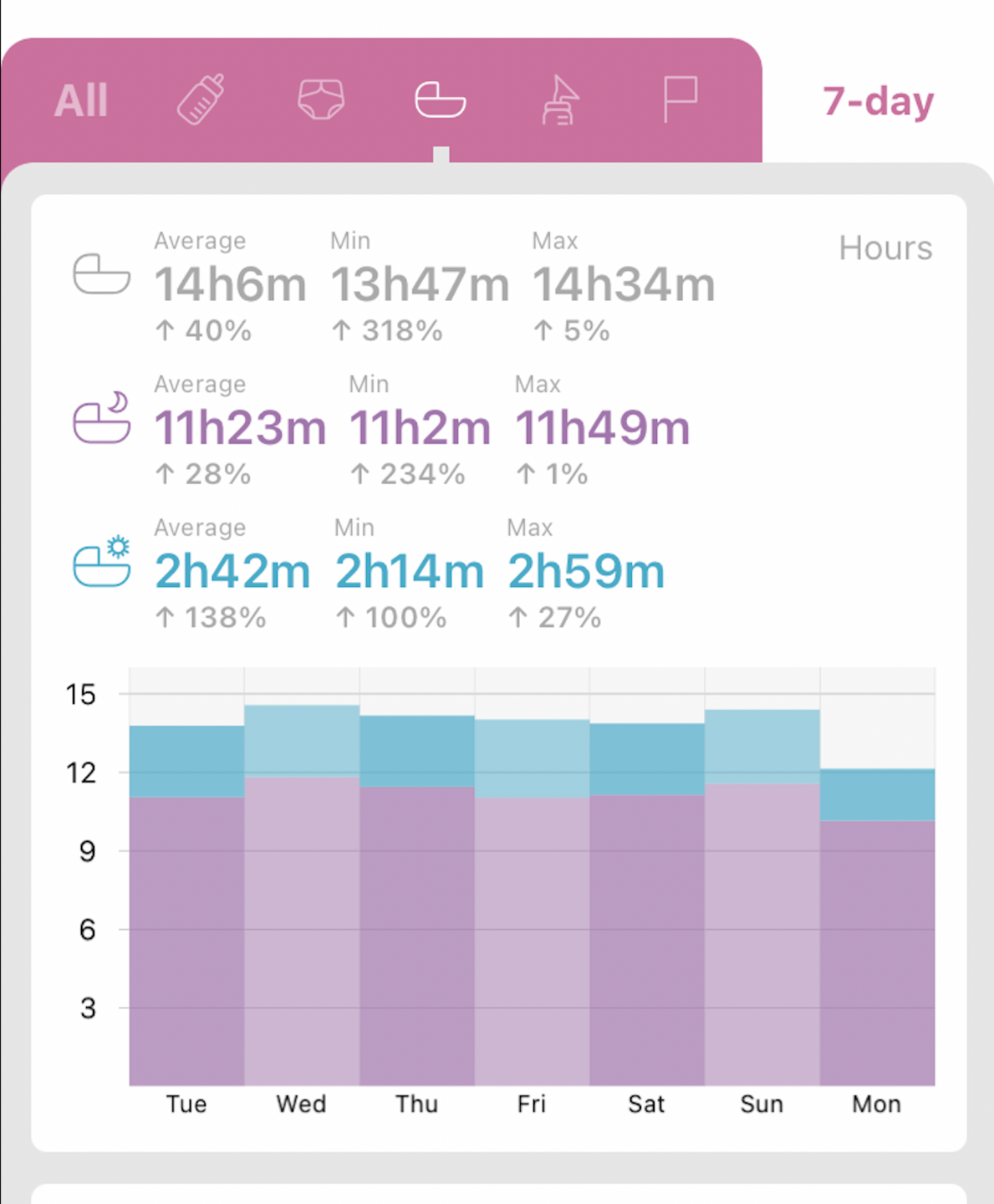
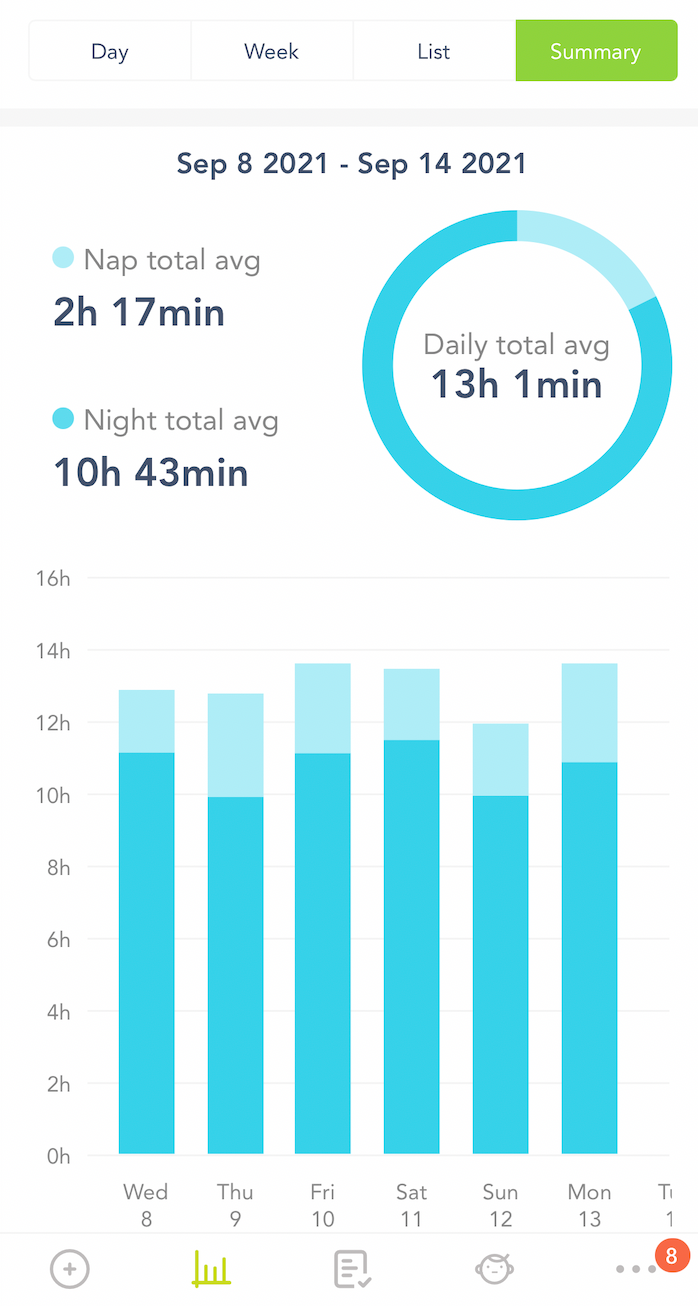
Apps like Baby Tracker and Huckleberry provide the correct type of sleep diary output we need to see. Baby Tracker is our preference. When it’s time to send us your diary take two screenshots: one that shows the sleep pattern across the past week, and another that shows the summary statistics - as shown in the examples below. Then hit ‘reply’ on your appointment confirmation email, attach the screenshots, and hit ‘send.’
Not sure if your app provides the correct data? Please email us: hello@sombelle.com.au
Screenshot 1: Sleep pattern across the past week
Screenshot 2: Summary statistics for the past week
Option 2: Use our Excel spreadsheet
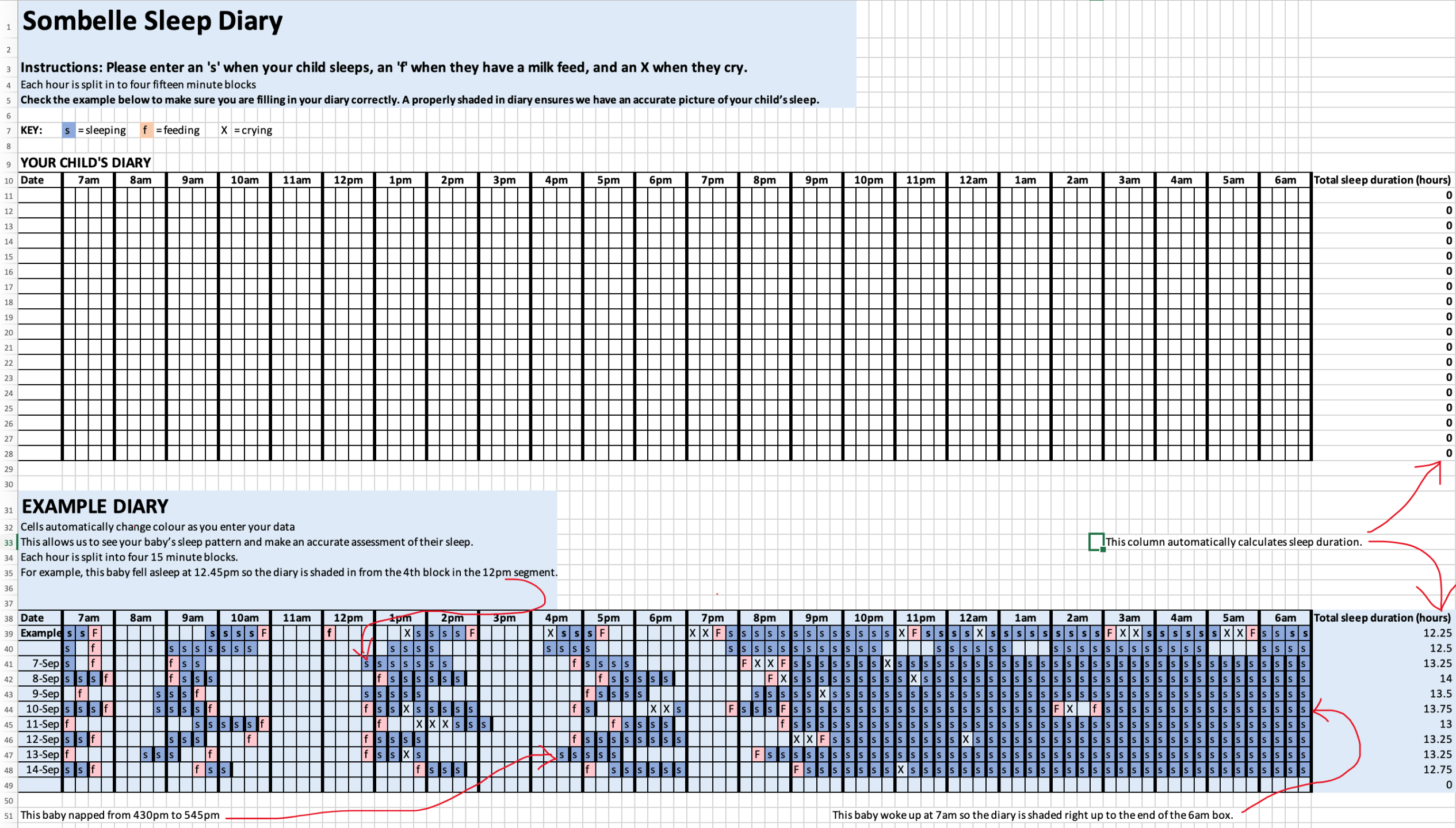
Download our editable excel spreadsheet - it contains handy formulas that auto-calculate certain sleep variables. When you’ve completed 7 days of data, hit ‘reply’ on your appointment confirmation email, attach the diary, and hit ‘send.’
Option 3: Use our pen & paper diary
If you prefer to work with pen and paper, please download our printable sleep diary. When you’ve completed 7 days of data, hit ‘reply’ on your appointment confirmation email, attach a photo of the diary, and hit ‘send.’